With your cheap tablets for sale, you can stream Disney+ services. These become an essential part of Netflix users. Disney+ features content from National Geographic, Marvel, Disney and Star Wars. If you want to dig in the animated series of Disney+, you will get numerous originals, TV shows, superhero blockbusters and animated classic.
New customers can get the advantage of a free trial for seven days. During these days, you can take a final decision whether you need this subscription or not. You will need this information before streaming Disney+ on your tablet screen.
Cost of Disney
To get a monthly subscription of Disney+, you have to pay $6.99 per month. If you need an annual subscription, you have to pay $69.99 for your tablet. You can get a bundle combining ESPN, Hulu (ads will be displayed) and Disney+ for $12.99 per month. It is possible to access this channel on your mobile devices, streaming gadgets, TVs and gaming consoles.
Disney+ is available in Canada and the United States. You can explore free services for New Zealand and Australia. These services will be expanded to the UK, Italy, Spain, France and Germany. Selection of content can be different based on the country, similar to Netflix.
Devices to Watch Disney+
Disney has managed different deals with streaming platforms. You can get download links for Disney+ for different platforms. Feel free to access these services with fire tablets, Amazon Fire TV, android tablets and smartphones, Apple TV, android TV, desktop web browsers, iPad, iPhone, Google Chromecast, PlayStation 4, LG smart TV, Samsung smart TVs, Roku streaming devices and TVs, Sony smart TVs and Xbox One.
Number of Devices to Stream Disney+
Every account of Disney+ supports almost seven profiles with a separate watchlist and personalized recommendations. Parents can get the advantage of parental control with their kids account. It will help you to choose age-appropriate content for kids. You can stream Disney across different devices.
Once you sign up for a triple bundle, you will get sufficient slots for everyone in the household.Feel free to download your favorite applications on your device.
Feel free to download TV shows and movies from Disney+ on almost ten mobile devices. Your android tablets, phones, iPad and iPhone. These are not available on laptops. Disney allows unlimited downloads for each device. You will only get restrictions from the storage of your devices. Make sure to connect to the internet at least once each 30 days to maintain downloads.
Disney+ renews the licenses of downloads automatically once you are connected to the internet. For this reason, there is no need to worry about anything expiring on your device. With Disney+, you will get unlimited entertainment. These things are enough to make your road trip comfortable with your kids.
Nowadays, gamers are interested in PubG and other demanding games. These games require you to buy the tablets with perfect specs. You can buy a perfect gaming laptop with a powerful processor, SSDs and graphics card. If you want to find the best laptop to play PubG, here are some necessary specifications to check.
Choose the Best GPU
In the first step, you have to check GPUs. They accelerate the creation of images in a machine. For a gaming laptop, a dedicated GPU plays an important role. A gaming computer must have a GTX 1060 that offers sufficient horsepower to handle modern games. If you want to play games on the a tablet, you can choose a lighter version of a game.
A laptop with low-end graphics can support minimalistic or older version of games. If you have sufficient money, you can check a machine with RTX 2080. This GPU is at the top of the geek pyramid. Nowadays, computers are available to handle ultra-graphics settings and 4K resolutions. You can get numerous fancy features, such as real-time ray tracing at almost 60+ frames per second.
Check CPU and RAM
A CPU can handle numerous calculations related to the game, such as AI and physics. You will need the best CPU to match your GPU. If these components are weak, you will not be able to play PubG. Bigger RAM and CPU mean fantastic performance. Try to buy the a device with Core i7 instead of Core i5.
HDD vs SDD
Nowadays, you can choose between HDD and SDD. Remember, SDDs are efficient and speedy, but these can be more expensive. These can load PubG faster than HDDs. If you want a laptop in your budget with SSD, it is possible to find different options.
If you have a device with HDDs, there is no need to worry. Things can be slow, but it is possible to play a game. Make sure to buy a laptop with almost 1TB of storage. It will speed up the installation of the game.
Size of Laptop
To play a game during travel, you will need a backpack-friendly laptop. Check for a 14 inches screen and maximum portability. The weight of your laptop must not be more than 5 pounds. In the market, you can find numerous choices in terms of mobility and other options.
If you don’t want to travel with a laptop, there is no need to worry about its weight and size. A tablet can be a good choice to play your favorite game, such as PubG. Make sure to check the display of your computer, such as a 1080p, can be a suitable choice.
Do you want the best options to buy 7 inch android tablet and a laptop? Fortunately, numerous options are available in the market. You can evaluate them before purchasing the best products. Remember, a perfect laptop can keep your productivity level on top. Here are 5 best laptops to keep your productivity level on top.
1. Dell XPS 13
If you want the best laptop with great battery life and fantastic display, you can buy Dell XPS 13. It features centered webcam, unique battery life, 4K display, Core i5 to i7 (8th generation), 256 GB to 1TB SSD storage and 8GB to 16GB display. If you have enough money to buy 7 inch android tablet and this laptop, it can be the best choice for you.
The XPS 13 is a great Windows laptop with a bezel-less infinity edge display and powerful processor. This model comes with significant improvements and customization options. With better battery life, this model allows you to work in a better way.
2. Acer ChromeBook 15
It is the best laptop available for students and professionals with Chrome operating system. The laptop features Intel Celeron 1.5GHz 3205U (dual-core) CPU, 4GB RAM, Intel HD Graphics, 32GB SSD storage and 15.6-inch display. You can get the advantage of 720p camera, 4.0 Bluetooth and 802.11ac Wi-Fi connectivity.
If you need a notebook with amazing monitor and long-lasting battery, you can invest in this device. Moreover, buy 7 inchandroid tabletto satisfy your travel needs. This affordable laptop allows you to complete your different tasks. It can deliver a responsive and fast user experience.
3. Huawei MateBook 13
For the best value laptop, you can’t ignore Huawei MateBook 13. This laptop features 13-inch (1440p) screen, 8GB of RAM, Nvidia GeForce MX150 2GB GDDR5, Intel UHD Graphics 620, and an Intel Core i5 to i7. Use of this device can improve your performance.
With the best display and CPU, you can get the advantage of amazing battery life. Students can use this laptop at an affordable price. To complete your daily tasks and homework, you will like the features of this notebook.
4. HP Spectre x360
You can buy this 2-in-1 laptop at an affordable price. It comes with Intel UHD Graphics 620, Intel Core i5 and i7 CPU, 8GB to 16GB RAM, and 13.3-inch HD touchscreen. HP allows you to get the advantage of 256GB to 2TB PCIe SSD storage.
With its excellent design, this device is thin and powerful. Long battery life and whiskey lake processor allows you to work smoothly without any problem.
5. Apple MacBook 15-inch Pro
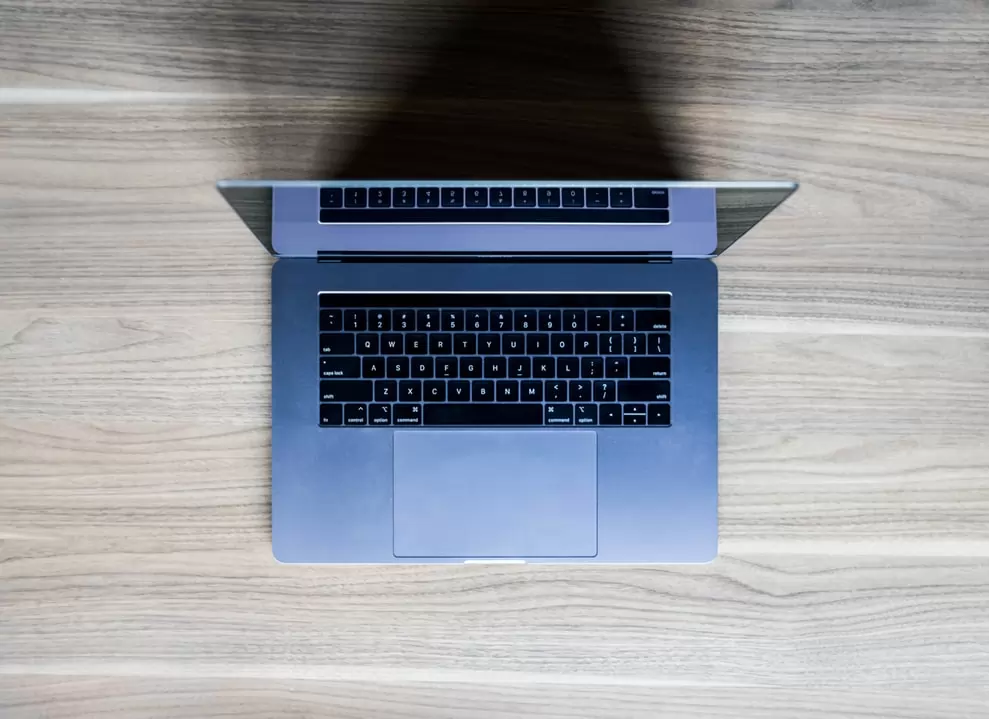
If you need the best laptop, this MacBook can be an excellent choice for you. With its i7 and i9 Intel Core CPU and a 15.4-inch screen, it can be an excellent book for your personal and professional needs. It features 4TB SSD maximum storage, 15.4-inch screen, 16GB RAM and UHD Intel 360 Graphics. For your travel needs, feel free to buy 7 inch android tablet.
Ready to buy a 10 inch android tablet? Fortunately, best devices with iOS and android operating systems are available at discounted prices. With these devices, you can do lots of exciting things. For instance, signing a document electronically. It is easy to sign a physical document with a pen. Remember, signing a digital document can be tricky.
It can be easy to digitally sign a document in android and iOS devices after downloading an app. Digital signature apps allow you to bypass signed digital documents. It permits you to easily and quickly put digital pen to a digital paper. With this pen, you can sign online documents with a preset signature and your name. Here are some best apps to download in your device.
Adobe Fill and Sign
With an adobe-certified app to sign documents digitally, Adobe Fill and Sign can be the best way to sign. Your work will be easy after creating a custom signature with a stylus or finger on the touchscreen. Tap to apply the signature to a form and share your finished signs in the app.
This app lacks landscape view and may not allow you to save a local copy of this document. It is the best app to sign an Adobe document. Remember, Adobe is an essential name in this industry to digitally sign documents.
DocuSign
You can buy 10 inch android tablet and download this app to sign documents digitally. It is available for Windows, Android, iOS and Web. With this popular app, you can sign different documents. Download this app, launch it and sign up. You will be prompted to upload documents and prepare them for signature.
After signing, feel free to choose recipients and send this document. With a Quick View sidebar, you can track the status of documents. This app has numerous useful features to make your work easy.
SignEasy
SignEasy is a trustworthy app for Apple and android users. Numerous professionals trust this app because it has various unique features. It allows you to sign and fill paperwork without visiting your office. Moreover, you can request particular documents from email contacts. Feel free to draw your signature on the screen.
You can use it with an iPhone X or advanced devices. It is possible to keep signature secure with the use of your Face ID. This feature is limited to Apple users.
HelloSign
This app is appropriate for android, iOS and web users. It is an easy and simple way for people on a budget to collect signatures or sign documents. You can use its browser extension to sign documents in Gmail. Feel free to use mobile apps for android and iOS to sign documents.
Users can type in a signature, fill out forms or add initials with special text editing. You can use the apps email and text editing feature to send and receive documents.
After buying a new Amazon Echo, you have to set up this device. Remember, this procedure is easy with your mid android 9 inch tablet. Once you set up this device, it will be easy for you to ask funny questions. Moreover, this voice-controlled speaker will help you to manage different tasks. You can enjoy a hands-free experience.
Feel free to enable Alexa so that Echo can retort to your voice commands. It is possible to read audiobooks, play music, break down news, report weather and do lots of other things. It features seven integrated microphones. This speaker is designed to understand your voice commands even from a different room.
These work well with your mid android 9 inch tablet.If you are using the Amazon Echo, you must not worry about music playing in the background or background noise. Here is a simple set up for your new Echo.
Download Alexa App
In the first step, you have to download the free Alexa app. It is a must-have for the owners of Echo Dot and Amazon Echo. You will need this app to set up your echo device. Download it on your tablet or smartphone with Android 5.1 or higher.
You can easily find it in the app store of your device. Use the search bar to get Alexa app and download this app on your computer. It is necessary to have strong Wi-Fi for your device. Feel free to download this app from the website of Amazon Alexa.
Plugin Your Echo
For set-up procedure, it is an easy step. Your Echo will not need batteries to work. You have to plug the power adapter into the Echo and to a power outlet. Wait for a few seconds and check the color of the light ring.
Once the ring turns blue, it indicates that power is connected. Make sure to have a mid android 9 inch tabletfor setup. Wait for some time so that the ring can turn orange. It means Alexa is processing for a greeting. After a few moments, you will be able to hear voice of Alexa.
Connect Echo to Wi-Fi through an App
You have to connect an Echo device to a Wi-Fi network of your home. The advanced version of the Echo will guide you through this process. If you are not satisfied, you can open the Alexa app and search it via available networks. With multiple devices of Echo, you have to check “Alexa Devices” in a menu and select the perfect device. Under “Wireless heading”, you can see the state of network connection.Once connected, save a Wi-Fi password to Amazon to make connections easy. Set up your new Alexa on a similar network or choose another network. You have to save a strong password to use Echo along with other smart devices. Amidandroid 9 inch tabletcan be the best way to set up everything. After enabling the Echo, you are ready to talk to Alexa.
Viruses or malware are so notorious that it can harm your device quite badly. Users need to be cautious in order to prevent such scenarios.
The virus can intrude into your privacy as well. There are possibilities that the performance of your device gets affected when the virus attacks the gadget. Few sagacious steps should be taken in order to avoid such a drastic situation. Let us have a rapid glance at how to keep the Android phone safe from viruses.
Update Your Phone:
One of the significant ways of protecting the smartphone from malware is to update the phone. Whenever the updates the available, consider taking some time for updating it. In this way, you can enjoy having better security features. In addition to this, it fixes the bugs quite amazingly. However, the outdated versions are more prone to be attacked by the virus. Updating the Android phone is not that tough and takes a few moments of yours. Be the one who buys Android tablets in the highest quality.
Navigate the settings of your phone and then click on the System – Advanced – System update. Here, the user would find the status of the update. If a new version is available over there, then allow it to be updated.
Anti-Virus Software:
Wise are those who know what applications are necessary for the smartphone to be downloaded. One of the massively significant applications is anti-virus software. These are available free of cost at the Google Play Store and can be downloaded in a few seconds. The basic purpose of anti-virus software is to inhibit the attack of the virus into your device.
It keenly observed the phone and allowed you the cleanup process for the malware. Do you know who buys Android tablets? The people having an interest in technology are the ones who get inclined to Android tablets.
Prevent Unknown Sources:
Be cautious while installing the apps on your Androids, especially when it is from an unknown source. Only consider having the most popular and trustworthy apps on your phone. Installing the app from unknown sources can put you in hot water. Avoid such scenarios as much as possible. People who buys Android tablets are the most sensible one as they know it would suit their needs to the optimum.
App Permissions:
You surely have observed then whenever you explore the app on Google Play Store and then click on the install or download button then the developer demands you to provide access to various significant features of your phone. App permission associated with the app should be taken seriously.
Take time to figure out that what sorts of permissions the app is demanding. If it is asking for a plethora of permissions or include the request for accessing quite private things on the phone, then do not install the app as it can be a trap. Online sale is the mega place where you find a huge amount of people who buys Android tablets wholeheartedly.
The market of smart phones has expanded so much that there are thousands of mobile phones available in the market with different specifications at a different price range.
People who are not frequent mobile users are required to know much about Android phones. In this article, such few things are going to be discussed.
Display:
People using smart phones spend hours staring at the screen of the phone. The screen of the phone should be good enough to make people enjoy using their phone. A person who has the a tablet might not be aware of how a sharp and crisp screen is like. Therefore, they may again forget to consider screen while buying the Android phone.
Anyone buying the smartphone should go for the screen which has high resolution so that movies and videos can be enjoyed on it.
The battery:
It should be kept in mind that the battery of the Android phone depends on the usage. If the person uses the mobile phone heavily, he will consume the battery more quickly. Therefore, wanting to buy a smart phone for heavy usage should consider the battery of the phone. The bigger the battery, the more time it will take to charge the phone again.
Also, it is better to choose the smart phone with a fast charging option that charges the phone quickly
Storage:
Different android phones come with different storage capacity. Unlike tablets, phones do not come with high storage capacity. This will create problems for the user in future. Therefore, people are advised to buy the phone with the storage capacity of at least 64 GB.
The reputation of the manufacturer:
As a matter of fact, a reliable phone can be purchased if the manufacturer of the phone is taken into consideration. There are many companies that design mobile phones with high-quality built and strong material. These companies spend most of the money on making the phone reliable.
The performance of the phone sometimes also depends on the manufacturer. If the international manufacturer has designed the phone, the phone is likely to have better specs.
Camera:
These days, most of the people buy a smart phone with the best camera. Many people spend a lot of money on buying the android phone with a good camera. However, the phone with a decent camera also costs a lot
Every year, many smartphones are launched. Due to the competition in the market, gadget developers make gadgets with advanced and unique technology so that it can gather the attention of most of the audience. The android smartphones and iPhones have groomed and updated so much from the previous few years.
The camera quality has been made so high and clear that it can focus on a very distant place easily. You can make the slow-motion videos with these. You can use several other features 9of the camera that were not present for the last few years. You can get a review of these and then buy an amazing one by analyzing the pros and cons. Following are few best camera smartphones:
iPhone 11 Pro Max:
If you have a good budget, then instantly buy iPhone 11 pro max. It has a screen display of 6.5 inches with the front and back camera. The CPU is a13 bionic. The battery life supports at least 11 hours. It has an amazing Steller triple camera with superb quality and night mode. This is the unique feature of this apple gadget. The CPU is fastest in speed.
It is on the top nowadays due to its stellar triple camera feature. It is the best smartphone choice in recent times. The reviews of the iPhone 11 pro max tell that its processor is the fastest of all. The design is stylish in appeal and durable in its use. The audio quality is superb as well.
iPhone 11:
This smartphone is amazing in its camera quality. The display screen size is 6.1 inches along with a13 bionic and great storage capacity. The back camera provides 212 MP, and the front camera provides 12 MP. The battery life is 11 hours or longer. You can click the amazing pictures with night mode. Different beautiful colors are available on this gadget.
There is a wonderful feature in the iPhone 11 of the ultra-wide lens. Now the game of selfies goes to the next level with its amazing camera results. This ultra-wide lens makes it a superb option to buy for the people who want to have the best camera.
OnePlus 7T:
This is an amazing android smartphone with great camera quality. Ram is available of 8 GB with snapdragon 855+. Its battery life supports 8 plus hours. If you do not have a large budget and cannot buy Apple gadgets, then this android smartphone is a very good option for you. Its price is reasonable and affordable than Apple’s smartphones. The charging speed is quite high. The battery life is good because of the high charging speed and long battery storage. It is one of the amazing android smartphones with an amazing camera.
During the holidays, gamers can buy the best gaming laptop at the best prices. Asus offers its gaming laptop for $270 off. You can save your penny by buying a 15-inch gaming laptop at $580. The regular cost of this laptop is $850.
ASUS Gaming Laptop
The gaming laptop of ASUS features an HD Screen with 1,920 x 1,080 resolution. It features GTX 1650 GeForce Nvidia graphics card. This card is a beefy choice for advanced games. Moreover, i5-9300H Intel Core processor is enough for heavy games. The laptop has 512GB of SSD that is sufficient in this price range.
Best Laptop in Affordable Price
FX505 is the best gaming laptop at an affordable price. It comes with 1080p full HD display, 8GB of RAM, a 512GB SSD and a 2.4GHz Core i5-9300H quad-core CPU. With this heavy lifting graphics, you can play your favorite games.
Look of this tablet is identical to TUF FX504. The exterior of this device is made of plastic and faux-aluminium brushing. With this lightweight gaming tablet, gamers can play their favorite games without any restriction. You will find it’s the best laptop performance-wise because it has sufficient power for demanding games and workloads.
Best Gaming Laptops
You can check gaming laptops of other brands in Black Friday sale. Here are some great laptops to play demanding games.
Alienware m17 R2
For its power and design, this laptop can beat anyone in the completion. It features Nvidia GTX 1660 GPU, Core i5, i7 or i9. Moreover, it comes with different RAMs, such as 8GB, 16GB and 32GB. This laptop features 256GB, 512 GB or 1TB SSD. The laptop weighs only 5.7 pounds. Moreover, the 17.3-inch display is enough to impress anyone.
The m17 R2 Alienware is packed with impressive features for raw gaming. It is perfect for movies and virtual reality. With its revamped cooling system, you will enjoy an impressing cooler game experience. No doubt, it is an eye-tracking technology with a stunning display.
Alienware Area 5m
It is a powerful behemoth with great features for gamers. Alienware 5, Area features 17.3-inch display, 64 GB RAM, 128 SSD storage and a stunning display. With its lightning-fast SSDs, there is no need to worried about the speed of your laptop. A desktop-grade tablet allows you to play demanding games.
With its magnesium alloy 51 m’s chasses, there is no need to worry about the safety of this device. It is lightweight and durable with future-proof features. Its stunning features are G-Sync 1080p display, booming front-firing speakers and RGB lighting.